
PixAI: AI Anime Art Generator
Mewtant Inc.Art & Design
4.21.44K Reviews
- Version
- 4.26.1
- Installs
- 1.00M
- Age Rating
- Teen
Screenshots
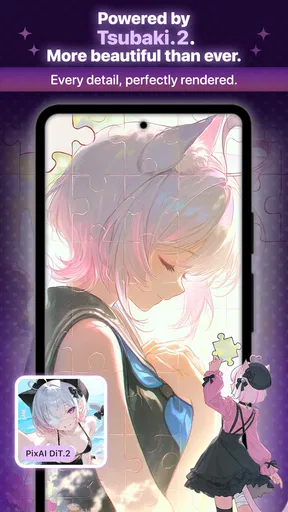
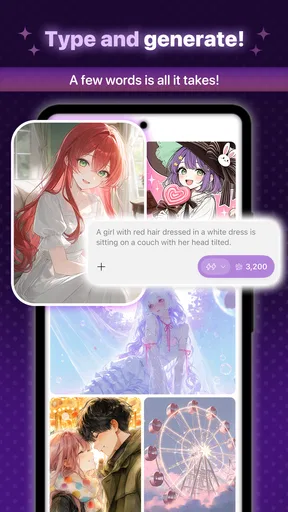
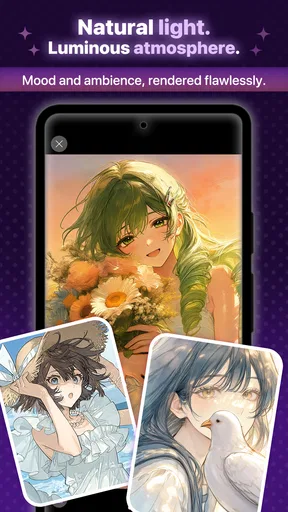
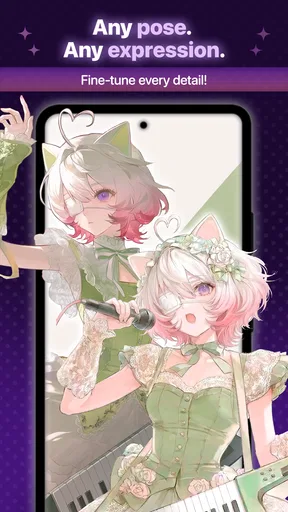
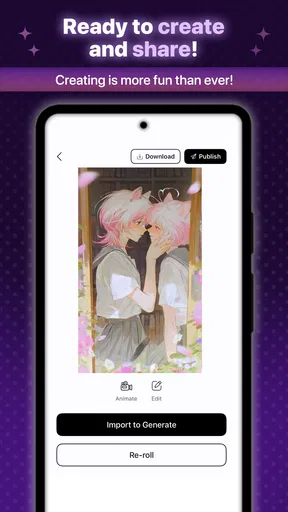
Our Review of PixAI: AI Anime Art Generator
 Analysis by Appyee
I look at PixAI: AI Anime Art Generator as a way to explore anime-inspired images without first learning a full digital painting workflow. It is an art-and-design app from Mewtant Inc., and its appeal is easy to understand: you can start with an idea or an existing sketch and see how an AI interpretation changes it. I would treat it as a creative companion for experimentation, not as a replacement for drawing skills or a guaranteed shortcut to a finished illustration.
There is a practical cost distinction worth keeping in mind. The app is free to download, while in-app purchases range from $0.99 to $599.99 per item. That broad range makes it sensible to begin with the free experience and decide whether the way you actually use it justifies spending anything. I would not assume that a paid item is necessary for casual exploration, nor that every purchase offers the same value; check the item and its terms in the app before committing.
What the free starting point is good for
For someone curious about AI anime art, free access lowers the barrier to trying a prompt or seeing what happens when a sketch is reimagined. That first experiment can help answer a more useful question than “Is AI art impressive?”: do you enjoy shaping an image through this kind of back-and-forth? If you only want to make an occasional character portrait, I would start free and avoid buying anything until you know which part of the process you want more of.
PixAI has a 4.4 average from around 46,000 ratings, with about 1,200 written reviews, and it has passed one million installs. Those figures suggest that it has found a sizable audience, but they do not tell me whether it will suit your taste or workflow. The app is rated Teen, so that is also worth considering if you are choosing an art tool for a younger user.
Getting Started with PixAI
Okay, let's dive right into it. The first thing you notice when you open the PixAI app is its sleek and user-friendly interface. It's designed to make you feel comfortable from the get-go, whether you're an anime aficionado or a complete newbie. The layout is intuitive, with clear instructions guiding you through the art creation process. It’s like having a virtual art assistant ready to help you unleash your creativity.
Features That Make It Stand Out
Now, let’s talk about what makes PixAI tick. One of the coolest features is its ability to transform simple sketches into remarkable anime art. All you need to do is upload your sketch or drawing, and the app works its magic. It's powered by advanced AI algorithms that mimic the style of renowned anime artists, giving your creations a professional touch.
But that’s not all. The app offers a variety of filters and styles you can apply to your artwork. Want to give your character a vintage anime look or maybe a futuristic twist? PixAI has got you covered. Plus, with its regular updates, you’ll always have fresh styles and filters to experiment with.
Making the output useful, not just exciting
In my experience, the most productive way to use an AI art generator is to approach it as a series of small decisions rather than expecting a perfect result from one attempt. If I were making a character concept, I would settle on the central idea first, then vary one detail at a time—such as the clothing mood or setting—so I could tell which change actually helped. That makes the process less random and gives me a clearer basis for choosing a version to keep.
Sketch conversion also works best when the source drawing communicates the part you care about. A rough pose or silhouette can be enough to explore a character direction, but if the sketch is crowded or ambiguous, the generated result may take the design somewhere you did not intend. I would keep an original copy of a drawing and treat the AI result as a separate interpretation, especially if the sketch has details I want to preserve.
A useful habit is to decide what the image is for before spending time polishing it. A personal mood board can benefit from variety and surprise; a character sheet or a piece meant to match an existing project needs consistency. PixAI is better suited to quick visual exploration than to guaranteeing exact control over every feature, so I would use it to find a direction and then refine the important details with a method that gives me more direct control.
Where it fits among art tools
Compared with drawing directly in a conventional illustration app, PixAI shifts the work from manually placing every line and color to guiding an AI-generated result. That can be a welcome shortcut when I want to test an anime-inspired concept without building the whole image from scratch. The trade-off is authorship and precision: a drawing app gives me more deliberate control over each mark, while generated art can surprise me in ways that are useful for brainstorming but frustrating when I need a specific result.
It also serves a different purpose from browsing finished art for inspiration. Looking at references can help me understand a style, but PixAI gives me a way to turn an idea or sketch into a new image to react to. I would not treat the output as a substitute for studying composition or practicing illustration; instead, I see its strongest role as a fast visual sandbox that can help an artist decide what to draw next.
For example, if I had a free evening and only a loose idea for a fantasy character, I could use the app to explore a few visual directions, save the one that feels closest to the concept, and make notes about what I would change by hand. That is a more realistic expectation than asking it to deliver a publication-ready design in one tap. If the goal is exact anatomy, lettering, or close consistency across several images, I would choose a workflow with more hands-on editing rather than relying on generation alone.
Who is likely to get the most from it
I would recommend giving it a try if you enjoy anime aesthetics, like testing visual ideas, or want a low-pressure way to turn a sketch into something more finished-looking. It can also be useful for a writer or tabletop role-player who wants a visual starting point for a character, provided they are comfortable treating the result as inspiration rather than a definitive design. Beginners may appreciate being able to experiment without first learning every tool in a full drawing program.
It is a weaker fit if you want every line under your control, need consistent character details across a long project, or prefer the hands-on process of drawing to prompting and reviewing generated alternatives. A traditional art app is the better choice for deliberate craft practice and precise edits. If you mainly want to collect finished illustrations rather than create or adapt images, an art-browsing community may fit that habit better.
PixAI is an app in the Art & Design category, and its current version is 4.8.6. It supports devices running Android 8.0 or later. I would check compatibility before planning a workflow around it, particularly if you use an older device. It is free to start, but the in-app purchase range is wide, so I would make a small, specific decision about what I need before paying rather than treating a purchase as an automatic upgrade.
Why You’ll Love Using It
Let’s be real—creating anime art can be daunting, especially if you’re just starting out. But with PixAI, it's like having a mentor by your side. You don't need any prior experience, and the app's AI is forgiving, allowing you to make changes and improve your designs effortlessly. It’s a fantastic way for aspiring artists to learn and grow.
Another thing I love about this app is the community aspect. You can share your creations with other users, get feedback, and even collaborate on projects. It’s like being part of a vibrant online art community, where everyone is there to support and inspire each other.
That social side is most useful when I treat feedback as a prompt for another pass, not as a score for whether an image is good. If I share a character concept, I can ask a focused question—whether the outfit reads as adventurous, for instance—instead of hoping general reactions will tell me what to change. It also means I would think before posting work that is personal or unfinished; sharing is a creative choice, not a required step in making art.
The Final Verdict
So, is PixAI: AI Anime Art Generator worth your time? Absolutely. It's not just an app; it's a gateway to a world of creativity and artistic expression. Whether you’re looking to hone your skills or just have fun creating anime art, PixAI is a tool that delivers on its promises.
My recommendation is a measured one: try the free app if you want to explore anime-style concepts, but do not buy anything until you have identified a recurring need the free experience does not meet. The purchase range makes checking each item especially important. For occasional idea-making, free access may be enough; for someone who expects exact control, reliable continuity, or a traditional drawing experience, another tool is likely to feel more satisfying.
In a world where technology and creativity are constantly colliding, PixAI offers a unique blend of both, making anime art accessible to everyone. So go ahead, give it a try, and let your imagination run wild. You might just discover a hidden talent or a new passion for anime art.
Ready to dive into the world of anime art? You can download PixAI from the links provided on our site. Happy creating!
Privacy and Permissions
See what permissions an app requests and how it handles your data.
- Phone
- read phone status and identity
- Photos/Media/Files
- read the contents of your USB storage, modify or delete the contents of your USB storage
- Storage
- read the contents of your USB storage, modify or delete the contents of your USB storage
- Camera
- take pictures and videos
- Microphone
- record audio
- Wi-Fi connection information
- view Wi-Fi connections
- Device ID & call information
- read phone status and identity
- Other
- view network connections, full network access, control vibration, prevent device from sleeping, Google Play license check, read Google service configuration
Verdict
Strengths of PixAI: AI Anime Art Generator
- Easy-to-use interface for beginners.
- High-quality anime art generation.
- Wide range of customization options.
- Fast processing and rendering times.
- Includes sharing features for social media.
Limitations of PixAI: AI Anime Art Generator
- Limited free version features.
- Requires internet connection to function.
- Occasional glitches in output quality.
- Subscription can be pricey for some users.
- No offline editing capabilities.
Similar Picks in This Category
View All
Canva: AI Photo & Video Editor
Canva4.8

PENUP – Drawing-sharing SNS
Samsung Electronics Co., Ltd.4.5

Crafto
Kutumb App4.6

Sketchbook
Sketchbook4.1

ibis Paint X
ibis inc.4.5

Adobe Express: AI Photo, Video
Adobe4.6
Frequently Asked Questions
What is PixAI: AI Anime Art Generator?
PixAI: AI Anime Art Generator is an innovative application designed to transform your ideas into stunning anime-style artwork using artificial intelligence. It provides users with a variety of tools to create unique and personalized anime art effortlessly, making it ideal for both beginners and experienced artists.
Is PixAI free to use, or does it require a subscription?
PixAI offers a free version with basic features that allows users to explore its capabilities. However, for access to advanced tools, higher resolution outputs, and exclusive content, users may need to subscribe to a premium plan. These subscriptions usually come with a free trial period.
What platforms is PixAI available on?
PixAI is available for both Android and iOS platforms, making it accessible to a wide range of smartphone users. It can be downloaded from the Google Play Store for Android devices and the Apple App Store for iOS devices, ensuring compatibility with most modern smartphones and tablets.
How does PixAI ensure the privacy of user-generated content?
PixAI takes user privacy seriously and employs various measures to protect personal data and user-generated content. The app ensures that any artwork created is stored securely, and users have full control over who can view or share their creations. It's important to review the privacy policy for more details.
Can I use PixAI-generated artwork for commercial purposes?
Whether you can use PixAI-generated artwork for commercial purposes depends on the app’s terms of service. Some versions may allow personal use only, while premium plans might offer more flexibility regarding commercial usage. It's crucial to check the specific licensing agreement provided within the app.
